Budgets
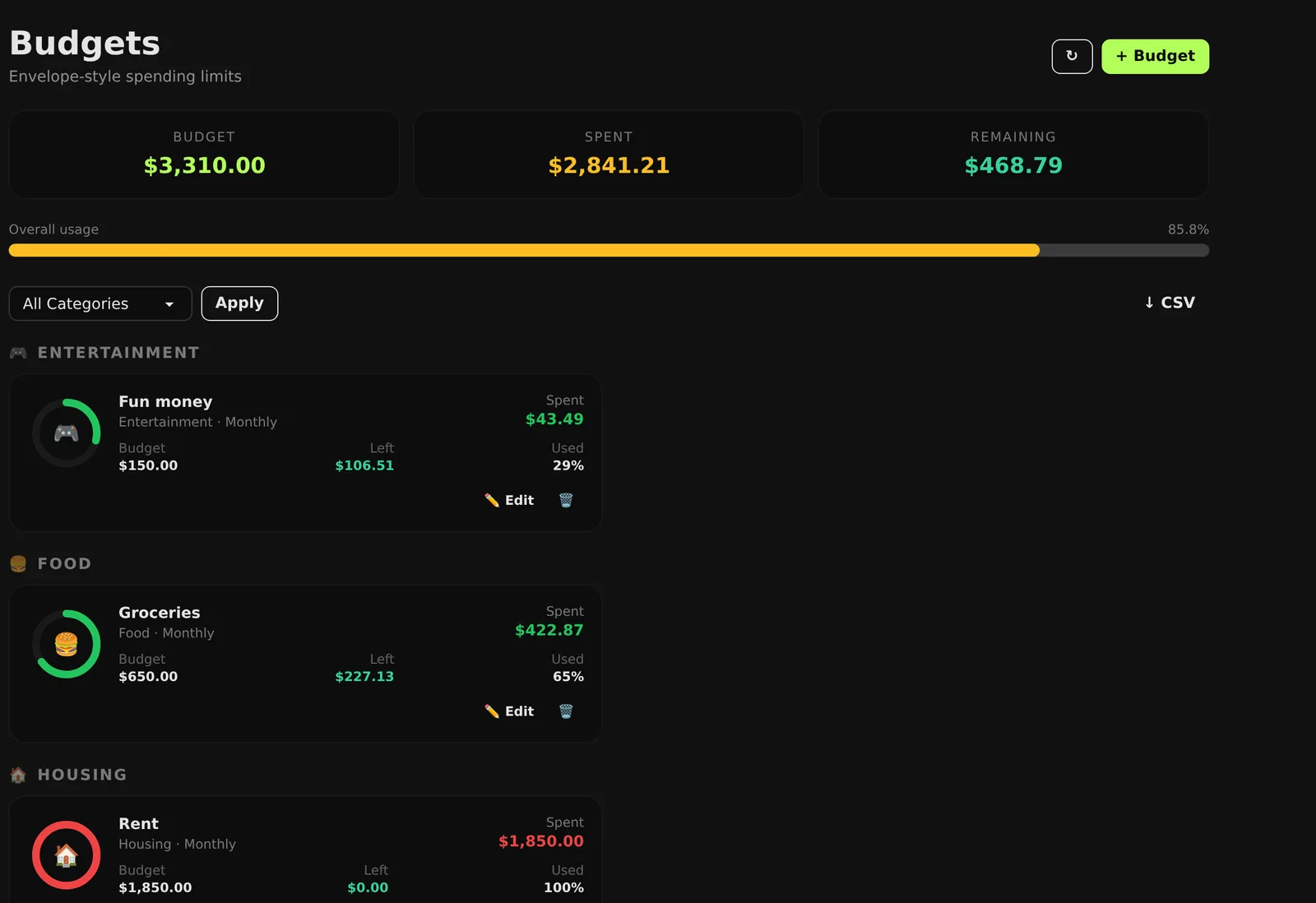
Monthly budgets per category that track themselves as you log spending, so what's left is always one glance away.
Trisphere · Bunnie
Bunnie keeps budgets, bills, income, goals and a shared calendar together for you and the people you plan with. It's free on the web and Android, with no ads.
01 Everyday money
Log an expense and its budget updates. Rules sort the spending you repeat, and every amount is stored and added to the cent.
Monthly budgets per category that track themselves as you log spending, so what's left is always one glance away.
Rules match on contains or equals, run in priority order and file new expenses into the right category for you.
Scheduled payments and recurring income in one list, so the next bill never sneaks up on you.
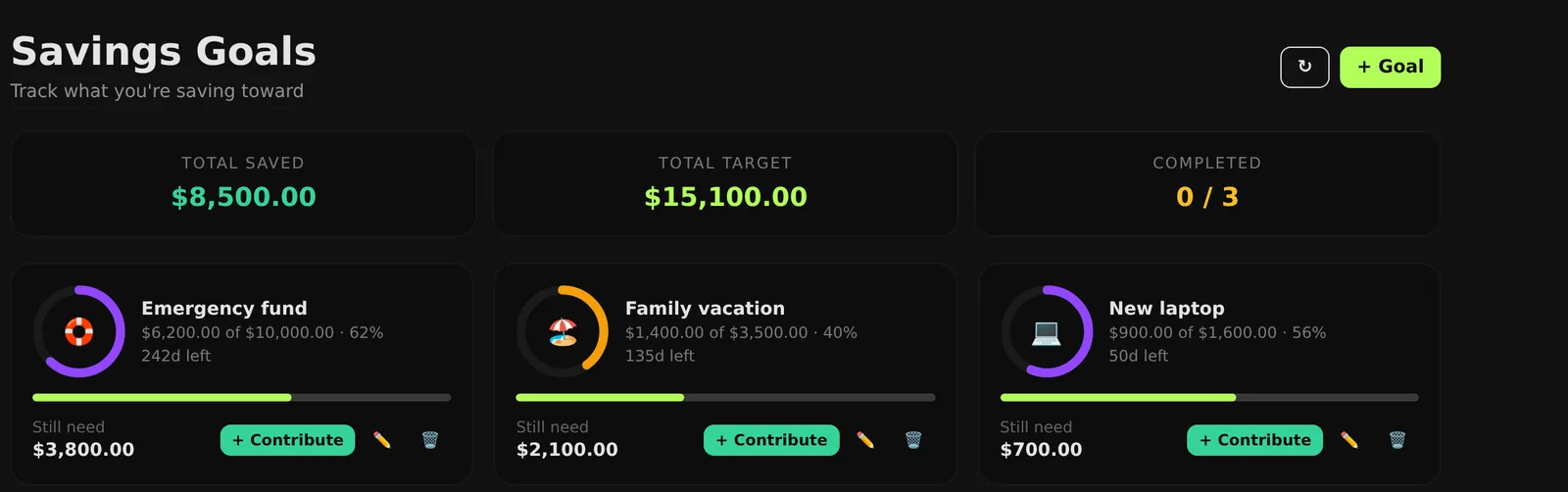
Every income source in one place, and savings goals with progress you can see.
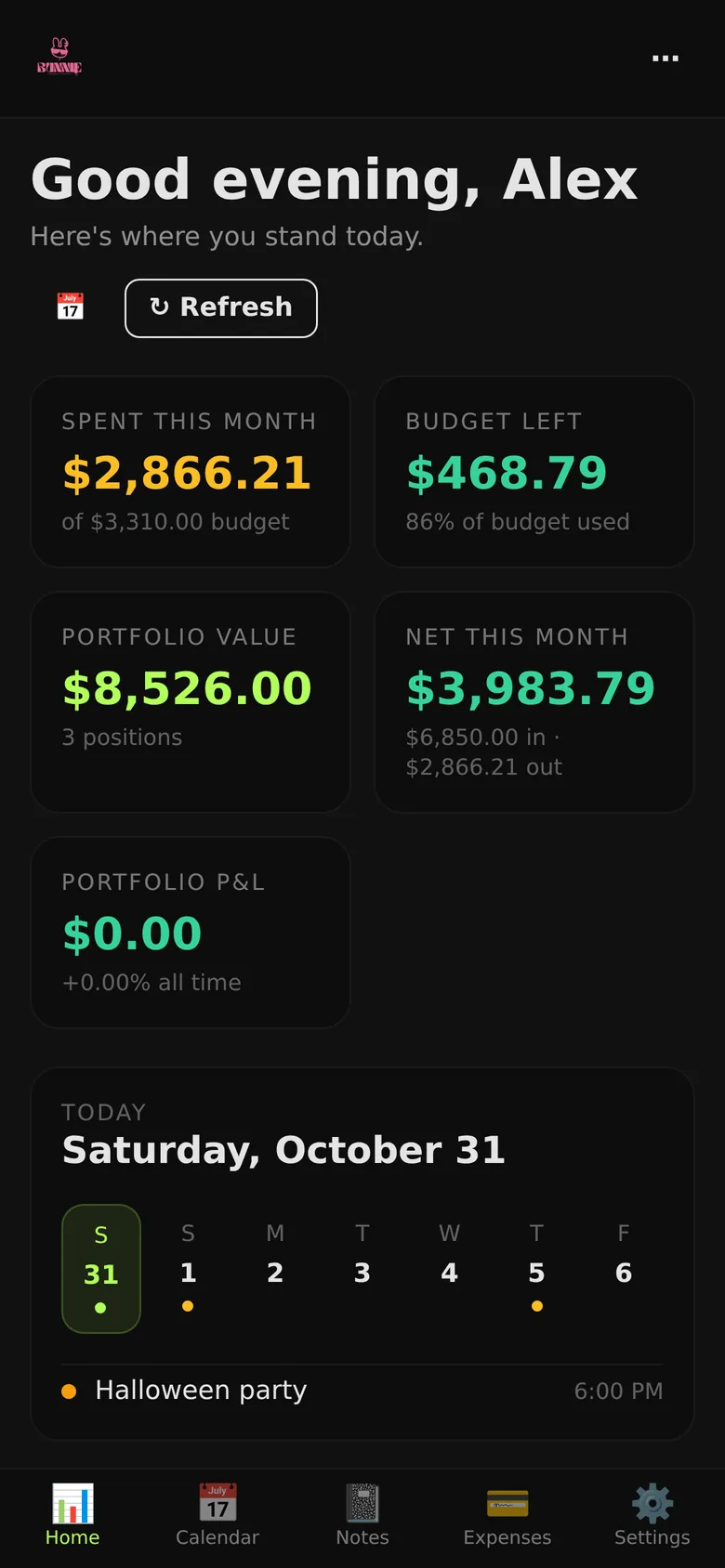
Holdings and net worth sit next to your day-to-day spending, not in a separate app.
Expense reports, a weekly review, and CSV export of budgets, expenses and investments whenever you want them.
Milestones and logging streaks on the dashboard help keep the habit going.
02 Plan together
Money at home is shared, so Bunnie is too. Invite the people you plan with, and keep the calendar and notes in the same place as the numbers.
Invite a partner or family member with a code. Everyone works from the same budgets and bills, and each member has a role.
A shared month view with colour-coded events, all-day or timed, repeating daily through yearly. Scheduled bills show up on it without anyone adding them.
Pin, search and tag notes. A tag can link to a calendar date or a part of your finances, and reminders come up a week ahead.

03 Assistant
Tap the mic and say “paid Netflix $15 yesterday”. Bunnie turns it into an expense with the right category, ready to save. Ask a question and the answer comes from your own numbers.
Expenses, bills and income from one sentence. Your browser does the speech recognition, so Bunnie receives text, never audio.
Where the month is going and which categories are running hot, worked out from what you've logged.
Questions about your budgets and spending, answered from your household's data.
AI features send the text they need to Google Gemini. The privacy policy spells out what is sent.
04 Privacy
Bunnie makes its money from subscriptions, so it has no reason to sell your data or show you ads.
No ad SDKs and no advertising ID, on the web or in the Android app.
Export your data, or delete your account from Settings or on the web. Deleting it removes your data.
Amounts use decimal arithmetic, not floating point, so totals don't drift by a cent.
Every change to budgets, expenses and investments is written to an append-only log you can export.
Households are invite-only. There are no public profiles and no messaging between strangers.
Every connection is HTTPS, and sessions use signed tokens.
05 Plans
Everything that runs your household's money is free. Pro gives the assistant more room.
$0
$5/ month
Plans are billed on the web through Stripe. The Android app is the same Bunnie with nothing to buy inside it.
06 Get Bunnie
Open it in a browser and you're in. On iPhone, add it to your Home Screen from Safari.
More from Trisphere: Aram · Vandelay · Lenz · SheekBot · All products